Getting Started
Konstruct is not on PyPI yet, so install it from GitHub with uv:
uv tool install git+https://github.com/kodexlabsio/konstruct
Installing from GitHub compiles Konstruct, so it needs a Rust toolchain (1.95
or newer) on the machine: curl --proto '=https' --tlsv1.2 -sSf https://sh.rustup.rs | sh installs
one, and GitHub’s hosted runners have one already; each release also has wheels that do not
(below). Konstruct runs on x86_64,
aarch64 (arm64), riscv64, ppc64le, s390x (IBM z13 or later) and loongarch64 processors, on Python
3.11 or newer.
Or run it without installing anything, each time:
uvx --from git+https://github.com/kodexlabsio/konstruct konstruct build
For a warehouse extra, name it in the requirement, for example
uv tool install "konstruct[snowflake] @ git+https://github.com/kodexlabsio/konstruct" (or [bigquery], [databricks], [trino], [rdf] for SKOS and OWL vocabularies, [all]).
To pin a release, add its tag: git+https://github.com/kodexlabsio/konstruct@v0.8.0. Each release also has wheels attached, which install without compiling: for Linux on x86_64, aarch64, ppc64le, s390x, riscv64 and loongarch64 (glibc 2.28 or newer, 2.31 for riscv64 and 2.36 for loongarch64), for macOS on Apple silicon and Intel, and for Windows on x64 and arm64. Install one with uv tool install <wheel URL or file>. Each file attached, the sdist and the CycloneDX SBOM of the locked dependencies too, has a signed build provenance attestation; gh attestation verify <file> -R kodexlabsio/konstruct checks a downloaded file.
Then, in a repository with dbt models, SQL, DAGs or a warehouse:
cd your-data-repo
konstruct status                 # what konstruct finds here, before building anything
konstruct trust                  # once you have reviewed its konstruct.toml, profiles.yml and dbt project
konstruct build                  # writes konstruct-out/: graph.json, REPORT.md, graph.html, ontology.yml
konstruct impact orders.amount   # everything downstream of a column
konstruct open                   # the interactive graph in a browser
konstruct install                # adds the Konstruct skills to Claude Code and Cursor
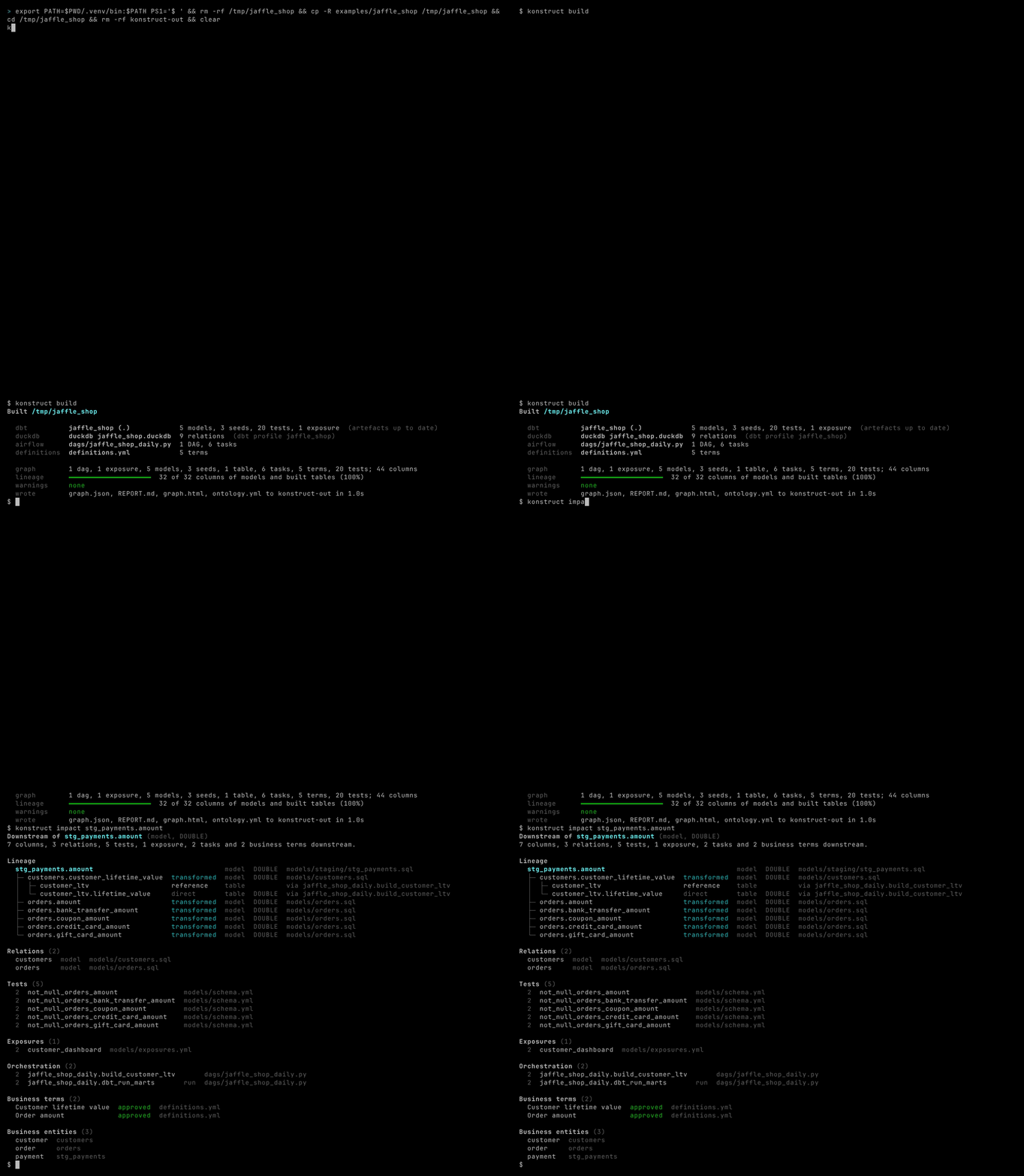
To try it on the bundled example (jaffle_shop on DuckDB, with an Airflow DAG), from a clone of this repository:
uv sync
uv run .kodex/scripts/prepare_example.py      # builds the example's DuckDB warehouse with dbt
uv run konstruct build examples/jaffle_shop    # about a second
uv run konstruct impact stg_payments.amount -C examples/jaffle_shop
konstruct build needs no configuration: it finds dbt projects, Airflow DAG files, Dagster definitions, PySpark jobs, LookML, Power BI semantic models, SQL files, DuckDB files and the warehouse each dbt profile points at (DuckDB, Postgres, Snowflake, BigQuery, Databricks or Trino), and prints what it found and what it did with each. If a dbt project’s target/manifest.json is missing or older than the project files and dbt is on PATH, it runs dbt docs generate first, once the project is trusted. A warehouse named in the repository’s own konstruct.toml or profiles.yml, other than a DuckDB file inside it, is read, and dbt is run, only once you run konstruct trust after reviewing the project; until then the build skips them with a warning, and builds from the files and the dbt artefacts already in target/ (see Trusting a Project’s Connections). ~/.dbt/profiles.yml is always used. konstruct init writes a commented konstruct.toml recording what discovery found, for when you want to pin or change it.
$ konstruct build
Built /src/jaffle_shop

  dbt          jaffle_shop (.)            5 models, 3 seeds, 24 tests, 1 exposure  (artefacts up to date)
  duckdb       duckdb jaffle_shop.duckdb  9 relations  (dbt profile jaffle_shop)
  airflow      dags/jaffle_shop_daily.py  1 DAG, 6 tasks
  definitions  definitions.yml            6 terms

  graph        1 dag, 1 exposure, 5 models, 3 seeds, 1 table, 6 tasks, 6 terms, 24 tests; 44 columns
  lineage      32 of 32 columns of models and built tables (100%)
  warnings     none
  wrote        graph.json, REPORT.md, graph.html, ontology.yml to konstruct-out in 0.7s