Reviewing Changes
konstruct diff answers “what does this branch do to the data?” For each dbt model, SQL file and DAG file that changed, it analyses the base and current versions and compares each output column’s canonical expression: the expression with every CTE, subquery and alias inlined down to physical columns. Reformatting, renaming a CTE or reordering columns is therefore not a change, and a real change is shown in full. Join, filter and grouping conditions are compared the same way. A removed column is breaking when a downstream model’s current SQL still reads it, so a change that also updates its consumers is not flagged.
A relation’s conditions are the clauses that decide which rows it has. Each names its columns, and the tables a subquery in it reads, by their relations, without aliases, so renaming an alias is no change. Where a query reads a relation more than once, as a self-join, a role-playing join (an order’s billing and shipping customer) or a CTE that two others read does, every reading is named "orders#1", "orders#2" in its conditions and its columns’ formulas, so which reading each column, filter or join is from is part of what is compared. The numbers are chosen from what the query says, not from its aliases or the order it is written in: of the ways to number the readings, the one whose conditions and formulas come first once printed with the operands of =, <>, AND and OR in order. Joining each order to its parent rather than to its child, joining an order to every order of its kind rather than to every order, moving a filter from one reading to another, passing on another reading’s columns through a SELECT * (listed as SELECT: "orders#2".*), or turning a LEFT JOIN of a relation to itself into a RIGHT JOIN is therefore a change, and renaming aliases, reordering the select items, the CTEs or the branches of a UNION or INTERSECT, or writing the two sides of an = or a comparison the other way round (a < b as b > a) is not; the branches of an EXCEPT stay in their order. A join whose ON does not name the reading it joins, such as ON TRUE, is listed once more with that reading named: LEFT JOIN "orders#2" ON: TRUE. A CTE referenced more than once names a reading through one of its references by its reading in the CTE and the reference’s number, "orders#2/1". A # in a relation’s own name is written ##. Each is listed with a label that says where it applies, so moving it to where it decides other rows is a change:
Label |
Where the condition applies |
|---|---|
|
The rows of the query, wherever in its CTEs and subqueries it is written. A join is labelled with its kind, as written ( |
|
Which rows an outer join joins. A CTE or subquery that the join reads and that only selects and filters has its |
|
Any other filter on the side of an outer join that may find no row: it decides which rows join, where the same filter outside the join removes rows |
|
The rows a |
|
How many rows a query keeps or skips, and the order it picks them in. An |
|
A set operation that removes duplicates or matches rows, as |
|
The rows a query makes itself, from a table function such as |
|
A condition applied before a window function or |
In an OpenLineage export, a filter of the side of a LEFT JOIN that is listed under the join’s LEFT JOIN ON has the subtype JOIN; one listed as a LEFT JOIN WHERE keeps the subtype FILTER.
The base is the merge base with main unless --base names another commit or a date: konstruct diff --base 2026-10-01 --head HEAD shows what changed in the data stack since the first of October, column by column, taking the last commit on the current branch before that date begins. A date and time (2026-10-01 14:30) is also accepted; both are read in the machine’s local time zone, and a branch or tag named like a date is taken as that ref. JSON output keeps the date as base and gives the commit it stands for as base_commit.
$ konstruct diff
Diff main..working tree (4 files changed)
1 breaking change, 1 column changed, 1 column removed, 1 column added, row logic changed in 1
relation, 1 DAG changed, 1 exposure affected.

models/orders.sql  (model orders, modified)
  rows     + WHERE jaffle_shop.main.stg_orders.status <> 'returned'
           affects 10 tests, 1 exposure and 1 task downstream (exposures: customer_dashboard)

models/staging/stg_payments.sql  (model stg_payments, modified)
  added    method
  changed  amount
             was  jaffle_shop.main.raw_payments.amount / 100
             now  jaffle_shop.main.raw_payments.amount / 100.0 * 1.2
           affects 7 columns, 3 relations, 5 tests, 1 exposure and 2 tasks downstream (exposures:
           customer_dashboard)
  removed  payment_method
           BREAKS orders, which still reads it
           affects 4 columns, 1 relation, 5 tests, 1 exposure and 1 task downstream (exposures:
           customer_dashboard)

dags/jaffle_shop_daily.py  (DAG jaffle_shop_daily, modified)
  runs     task `dbt_run_marts`: no longer runs orders
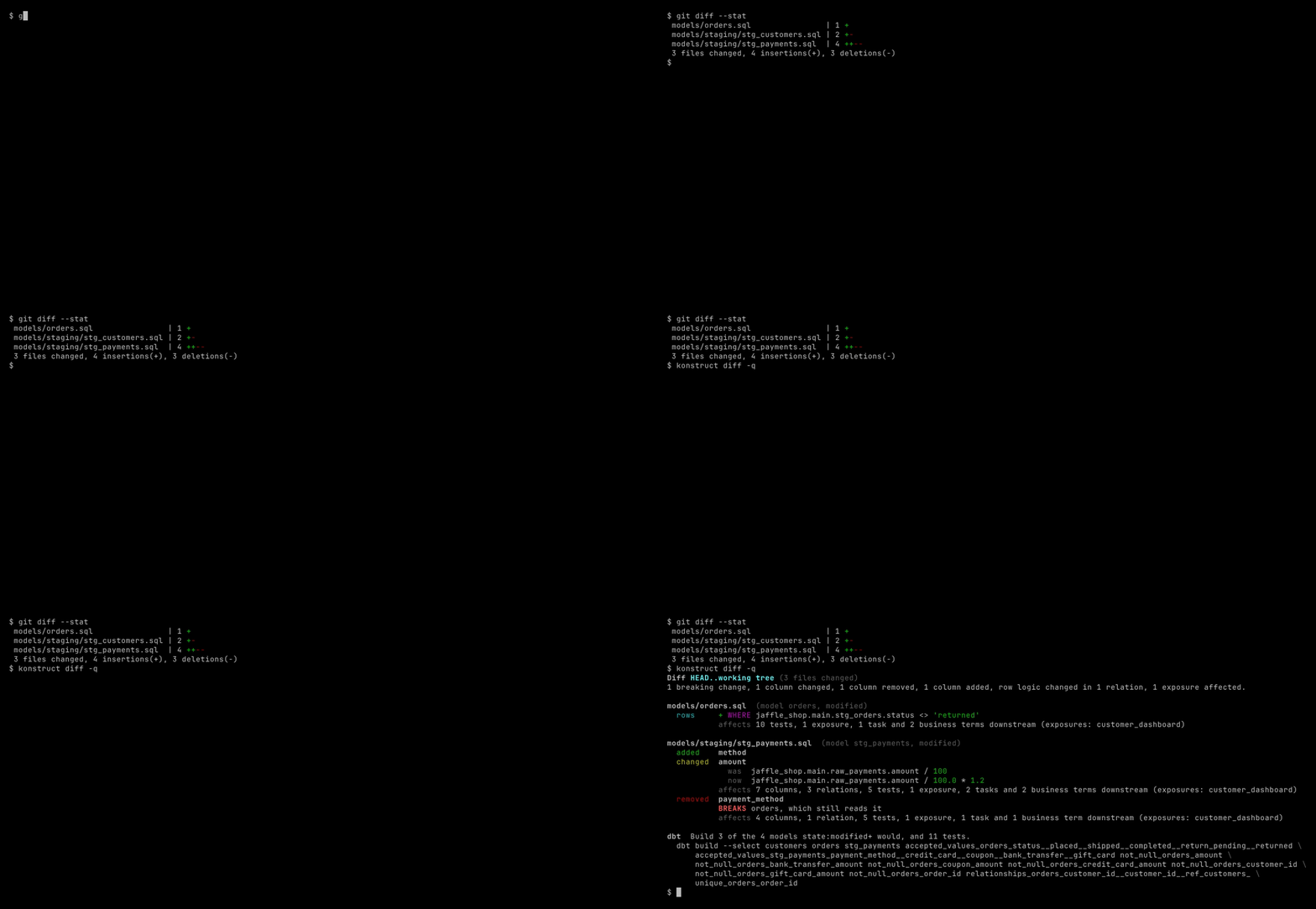
diff also works out what dbt has to rebuild: the changed models, the models whose columns, joins or filters are downstream of a changed column, and the tests on them. It prints that as a dbt build --select command (or just the selection, with --format selector) and compares it with what state:modified+ would build: on the example above it builds 3 of the 4 models, because the reformatted stg_customers needs nothing. A test builds the project with dbt before and after a change and checks that every model whose data changed is in the selection. It also reads dbt YAML, reporting tests, sources and exposures added or removed and descriptions changed; a YAML file whose base or head version cannot be read is listed with why, and nothing in it is compared, so its tests are not reported as removed.
dbt models are compared by rendering their Jinja without dbt (see How Lineage Works), so diff needs no warehouse and no credentials. --json-file writes the result as JSON beside any format, including the list of breaking changes, for scripts.
When a Formula Changed
konstruct history <table.column> answers “when did this number’s calculation change, and who approved it?” It reads the git history of the file that defines the column (a dbt model, a SQL file, or the SQL file a DAG task runs), following renames, and works out the column’s formula at each commit and at its parent with the same analysis as the build, so a commit that only reformats the SQL, or a merge, is not listed. It also reads the history of every definitions.yml that binds a business term to the column, and lists each change to the term’s status, approval date, owner and definition with the commit’s author and date. Uncommitted edits come last.
$ konstruct history ltv.total
History of ltv.total (ltv.sql)
2 formula changes; 'lifetime value' last approved by Grace in 745d991, before the latest formula
change.

  2026-01-05  c9e560a  Ada  Add lifetime value
    added  SUM(orders.amount)
    term  'lifetime value'  definition  none → What a customer has paid us.
                            owner       none → Ada
                            status      none → draft

  2026-02-01  745d991  Grace  Approve lifetime value
    term  'lifetime value'  owner   Ada → Grace
                            status  draft → approved

  2026-04-01  d71c2ce  Linus  Net of refunds
    was  SUM(orders.amount)
    now  SUM(orders.amount - orders.refund)
The summary says whether a bound term was approved after the latest formula change, so a formula that changed after its approval stands out. Commits are ordered by ancestry, not by date, so a change rebased onto a branch after an approval comes after it. A term is approved by a commit that makes its status approved, or that moves its approved date while it stays approved; a term that first appears already approved, such as a renamed one, is not an approval. Where the history is incomplete (a shallow clone, or more commits than --limit, default 50), or a version’s SQL cannot be analysed, a note says so. --json gives the same result for scripts and agents, which can also ask through the history MCP tool.
Pinning What You Read
A repository that reads another team’s data, a dashboard repository, a downstream dbt project or a feature pipeline, pins exactly what it relies on with konstruct lock. For each upstream column the project reads (one it does not build: from a repository listed in repositories, or a table in a shared warehouse), konstruct.lock records a fingerprint of the column’s formula composed down to source columns, the row conditions of every relation on the way (with the labels above, including those of the relations it is joined to, filtered or grouped by), the source columns it reaches, its type, the business terms bound to it with a version of their meaning, and its verification state. Commit the file. Names limit the lock to those columns, relations, exposures or terms: konstruct lock weekly_dashboard pins what that exposure reads.
konstruct lock --check fails with exit status 1 when a pinned column’s formula, row conditions, sources or type, or an approved term bound to it, is not what was locked, or when the column is no longer built. Run it in the consumer’s CI. Each change shows the locked and current formula side by side, who changed it from git history, which of the project’s own columns read it, and the command to accept it, or the commit to revert to keep the locked meaning:
$ konstruct lock --check
konstruct.lock: 1 of 2 pinned upstream columns changed since it was locked.

main.ltv.total  (ltv.total, built by finance, ../finance/ltv.sql)
  formula changed
    locked  SUM(orders.amount)
    now     SUM(orders.amount) * 2
    change  added * 2
  changed by         Ana in 327233e on 2026-11-11: Double lifetime value
                     ltv.total: was SUM(orders.amount)
                                now SUM(orders.amount) * 2
  your columns       report.doubled
  accept it          konstruct lock --update main.ltv.total
  or keep the old    ask finance to revert 327233e (by Ana)
Fingerprints are built from canonical expressions, so reformatting, renamed CTEs, reordered columns, passthrough models, a mirrored comparison (10 <= a is a >= 10), conjuncts in another order and a filter moved into a model upstream are not changes. A relation reached through the side of an outer join that may find no row, or before a window function or LIMIT, is pinned as such (LEFT JOIN main.customers BEFORE WINDOW), so moving a filter across the join or the window is a change; the lockfile writes a RIGHT JOIN as the LEFT JOIN of its sides the other way round, and drops OUTER and INNER. A seed is pinned by a checksum of its file, and a column with no formula (a Python model) by a checksum of the file that builds it.
A pinned column keeps its pin, as a package lockfile keeps its versions: konstruct lock adds what the project newly reads and drops what it no longer does, brings up to date what fails no check (an approval date, a verification), and keeps the rest as locked. konstruct lock --update accepts every change after review, and konstruct lock --update main.ltv.total the change to one column. The file records the canonical form it was printed in; a Konstruct that prints formulas differently fails the check once, asking to re-lock after review, rather than pin by pin. A relation more than one statement writes (a CREATE and an INSERT) is pinned with the conditions of every one of them; an earlier Konstruct pinned the last statement’s alone, so after an upgrade the check reports the pins on such a relation’s columns changed, once, and konstruct diff between a graph an earlier Konstruct built and a new one shows the other statements’ conditions as added. --format markdown gives the check for a pull request comment, naming no commit or author, and --json the result for scripts; the lock_check MCP tool gives the same to an agent.
A producer that lists its consumers in repositories learns what a change does to them before they do: konstruct gate fails with consumer-pin-changed when the change alters a column a consumer pins in its konstruct.lock, naming the consumer, what changed and the command the consumer runs to accept it. Only the pins on columns the change alters are checked, so a consumer that has not re-locked since an earlier change does not fail every change after it; a consumer lockfile that cannot be read fails only a change to a column that repository reads.